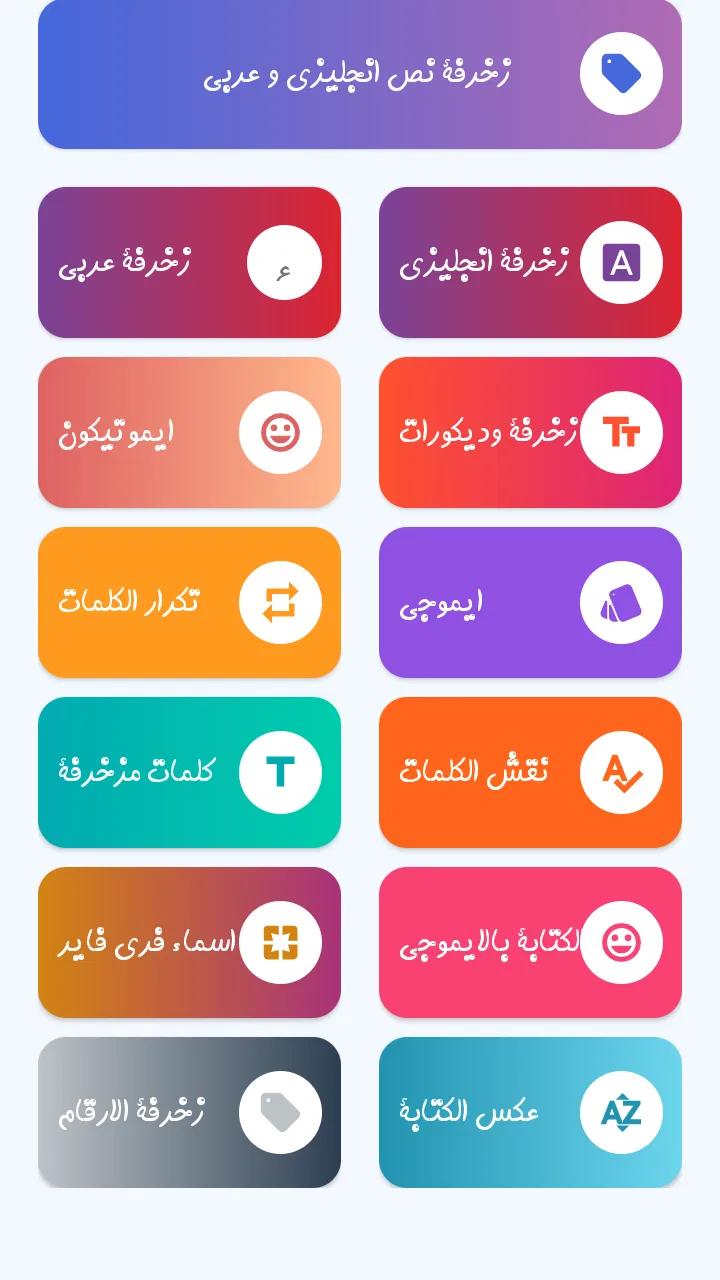
زخرفة الكتابة بكل انواع الخطوط
- 4.0
- Rating
- 1.00M
- Installs
- Free
- Price

 Analysis by App-foxy
Arabic and English text decoration is one of those small phone tasks that can be surprisingly awkward. I may know exactly what I want to write, yet ordinary keyboard text often looks too plain for a profile name, a social post, a greeting, or a gaming nickname. زخرفة الكتابة بكل انواع الخطوط approaches that problem directly, giving me a focused place to experiment with decorative writing instead of forcing me to search through symbols one by one.
After using it as a beauty and text-decoration app, I found its appeal easy to understand. It is free, aimed at Everyone, and available for Android devices running Android 5.0 or later. The developer is Chama innovation, and the app has built a visible audience, with more than a million installs and an average rating of about four stars from roughly seventeen thousand ratings. Those figures suggest that it solves a familiar need, although they do not automatically make every decorative result useful.
My honest view is that this is best treated as a practical creative utility rather than an app I would open every day. It can earn a permanent place on the phone of someone who regularly decorates Arabic or English writing, but occasional users may install it, create a few attractive names, and then forget about it. The difference comes down to how often you need stylized text and whether you are comfortable managing the extra visual clutter that decorative characters can create.
You May Also Like

 AccuWeather: Weather Radar
AccuWeather Review: A Quick, Clear Forecast for Everyday Decisions
For everyday plans, the best forecast is the one you can understand quickly. AccuWeather makes rain timing, radar, and local conditions easy to act on, with a few trade-offs.

 Hill Climb Racing
Why Hill Climb Racing Still Turns Crashes Into One More Run
A tiny car, a bumpy hill and one more upgrade: Hill Climb Racing keeps resurfacing because its simple chaos makes every near-miss feel personal.

 AliExpress - Shopping App
AliExpress Makes Global Shopping Feel Personal, but Shoppers Bear the Risk
AliExpress turns a global marketplace into a pocket-sized discovery engine. Its reach is useful, its shopping loop compelling, and its trade-offs easy to miss.

 Lords Mobile: Kingdom Wars
Lords Mobile Is a Kingdom-Building Routine, Not a Quick Match
A case-by-case verdict on the building, battles, device demands, and social commitments that make Lords Mobile rewarding for some players and exhausting for others.

 PDF Scanner app - TapScanner
TapScanner Makes Paperwork Easier to Capture, Check, and Share
TapScanner makes scanning with a phone feel less like a rescue operation and more like a dependable step in getting work done. Its capture tools are useful, though not flawless.

 Block Blast!
 Shows How Much a Puzzle Game Can Leave Out
A quiet grid game shows why puzzle players increasingly value instant clarity, repeatable skill and low-pressure play—and where the genre still needs to catch up.
More From Our News Desk
View All News


What the first week feels like
The first session has a clear sense of discovery. I can type a word or name, browse different decorated treatments, and compare the results without having to understand typography. That makes the app approachable for people who are not familiar with Unicode symbols or the many variations commonly used in social profiles. The store’s short description, “زخرفة الكتابة,” is brief, but it accurately points to the central experience: transforming ordinary writing into something more distinctive.
The strongest early use case is a name that needs to stand out quickly. I might be preparing a new social profile, changing a display name in a game, or writing a short greeting for a special occasion. Instead of manually assembling stars, brackets, lines, and unusual letter forms, I can test several visual styles and choose the one that still looks readable. That last part matters. The most elaborate option is not always the best one, especially when a person needs to recognize the name at a glance.
Arabic users may find the app particularly useful because decorative Arabic writing can be harder to reproduce consistently with a standard keyboard. English text also benefits, especially for short usernames and captions. I like the fact that the same basic workflow can serve both languages, rather than requiring separate tools for each one. However, the quality of a result depends on the characters used and on the service where I paste them. A style that looks attractive inside the app can appear less balanced elsewhere.
During the first week, I would recommend starting with short samples instead of pasting a full sentence immediately. A two-word name makes it easier to compare spacing, repeated symbols, and the shape of individual letters. This is one of the more useful habits with a decoration tool: test the exact text you intend to publish, not just a random example. Different letters can produce noticeably different visual rhythm, and a style that works for one name may look crowded on another.
The app is also handy for personal messages where presentation matters more than speed. A birthday greeting, a short invitation, or a status line can feel more personal with a restrained border or a few decorative marks. I would avoid using the most ornate styles for anything important or formal, though. Decoration can make a message warmer, but too much of it can make the actual words harder to find.
Choosing styles without losing readability
My first practical rule is to judge the text at the size where people will actually see it. A design that looks impressive while I am choosing it may become difficult to read as a small profile label. This is especially relevant for Arabic, where extra marks and unusual spacing can compete with the letter shapes. I prefer styles that add a clear frame or modest emphasis rather than replacing every character with an unfamiliar symbol.
A second rule is to keep a plain version beside the decorated version before copying. If I am creating a username, I write down the original spelling first. That prevents a decorative variation from becoming the only copy I have, and it helps me notice accidental changes. This is a small workflow improvement, but it saves time when I later need to search for the same account or tell someone the exact name.
Copying and pasting is where the app becomes more useful than a simple collection of decorative examples. I can create the text in one place, then move it into a profile field, message, or caption. Still, I would check the destination before committing. Some platforms may accept the characters but display them differently, while others may limit unusual symbols in names. The app can generate the writing; it cannot guarantee that every outside service will treat it identically.
What remains useful after the novelty fades
After the initial experimentation, the app’s long-term value depends on recurring situations. If I change profile names often, manage several social identities, participate in gaming communities, or publish Arabic and English greetings regularly, the tool remains convenient. I do not need to remember which symbols created a particular look, and I can return when I want a fresh variation without rebuilding the design manually.
For a typical everyday scenario, imagine preparing a message for a family celebration. I type the recipient’s name, compare a few Arabic styles, choose one with enough contrast to remain readable, and paste it into the greeting. Later, I may use a simpler English treatment for a social caption. The app earns its place here because it reduces a repetitive little task. It is not creating the message for me; it is helping me give the message a more personal surface.
It can also support small branding tasks for an individual creator. Someone who posts regularly may use a consistent decorated signature or separator in captions. I would be careful with this approach, because consistency is more valuable than constant novelty. A recognizable, restrained style can become part of a personal identity, while changing the decoration every time makes posts look disconnected.
Another useful workflow is preparing several versions before choosing one. Rather than copying the first attractive result, I would create a plain version, a lightly decorated version, and a more expressive version. Then I would consider the audience and destination. A gaming nickname may tolerate stronger decoration, a professional profile usually benefits from clarity, and a private message can be more playful. This simple comparison turns the app from a novelty button into a decision-making tool.
It is worth remembering that the app is free, so the barrier to keeping it installed is low. That does not mean it deserves space on every phone. If I only decorate text once or twice a year, I may prefer using a browser-based alternative or copying a saved design from my notes. The app makes more sense for people who want a repeatable mobile workflow and do not want to search for a suitable generator each time.
Where it compares well with usual alternatives
The usual alternatives are a regular keyboard, a symbol-copying website, saved notes, or a general graphic-design app. A keyboard is faster for normal writing, but it does not offer the same focused variety. A website may provide many options, yet opening a browser, finding a trustworthy generator, and moving between tabs can feel excessive for a short name. Saved notes are efficient once I have a favorite style, but they do not help much when I want to explore something new.
A graphic-design app is better when the final output should be an image with controlled fonts, colors, spacing, and layout. That is an important distinction. زخرفة الكتابة بكل انواع الخطوط creates decorated text that I can usually paste into text fields; it is not a replacement for designing a poster, logo, or polished social graphic. If the destination needs a fixed visual appearance across devices, an image-based design may be safer than relying on decorative characters.
Compared with manually collecting symbols, the app’s main advantage is speed of experimentation. I can judge a complete word instead of assembling it character by character. Its weakness is that convenience can encourage over-decoration. Manual selection takes longer, but that extra effort sometimes produces a cleaner result because I make deliberate choices rather than accepting the first complete style.
How much maintenance it creates
The maintenance burden is fairly light, but it is not zero. The current version is 0.0.36, and keeping any utility app useful means occasionally checking that it still behaves well on the phone and with the platforms where I paste the text. The more important maintenance is personal: keeping a small set of readable styles and discarding the ones that repeatedly cause display problems.
I would maintain a note containing the plain spelling of important names, followed by the decorated version I actually use. This is especially helpful for account names, recurring greetings, and signatures. If a platform strips some characters or a friend cannot read the decoration, I can quickly switch back without recreating the text. The app is most reliable as a generator, while my notes become the practical archive.
There is also a social maintenance issue. Decorative names can make it harder for people to search, mention, or remember an account. Before using one permanently, I would ask whether the name needs to be discoverable. For a private profile or a playful gaming identity, decoration may be harmless. For a public creator, seller, or community organizer, a plain searchable name with decoration in the bio may be the better compromise.
On the technical side, I would not assume that every result is equally portable. Unicode-based decoration can depend on font support and the receiving app. A recipient may see a substitute character, unusual spacing, or a box where a symbol should be. Testing the final result in the actual destination is therefore more valuable than judging it only inside the generator. This is not a reason to avoid the app; it is a reason to treat its output as something that needs a quick quality check.
What causes fatigue over time
The first source of fatigue is repetition. Many decorated styles can begin to feel similar after the initial exploration, particularly when I am working with short names. The excitement of seeing a word transformed fades quickly if the app becomes a place where I scroll through variations without a specific purpose. I get more lasting value when I open it with a clear task and a defined audience.
The second source is readability. Decorative characters can look expressive to the person who created them but tiring to everyone else. Excessive marks may slow down reading, make pronunciation unclear, or give a message an unintended tone. Arabic text deserves special care because the balance of letters and marks is already visually rich. I would use decoration to support the words, not compete with them.
The third source is compatibility. A style may work in one profile field and fail in another. Some services may count unusual characters in unexpected ways, and some search tools may not match the decorated form with the plain spelling. This makes the app less suitable for names that need reliable searchability. In those cases, I would keep the official name simple and use decorated text in less critical places.
There is also a creative limit. This tool changes the appearance of text, but it does not replace thoughtful writing. A beautifully decorated sentence can still be unclear, and a plain sentence can be more memorable if the wording is good. I would skip the app when the real problem is composition, translation, spelling, or visual layout. Decoration is the final touch, not the foundation.
Who should keep it installed
I think it is a good fit for Arabic-speaking users who frequently personalize names, greetings, and short posts, as well as bilingual users who move between Arabic and English. It is also useful for gamers and social users who enjoy changing their display identity without learning a large collection of symbols. Because it is free and rated for Everyone, it is easy to try without turning the decision into a major commitment.
I would be more selective for people who mainly need professional communication. If most of my writing goes into work emails, business profiles, applications, or searchable public pages, plain text will usually serve me better. The app may still be useful for a personal greeting or a private group, but it should not become the default treatment for every message.
Users who want advanced graphic control should also look elsewhere. If I need a specific typeface, exact alignment, color, image export, or a design that looks identical on every device, a dedicated design editor is the stronger choice. This app’s strength is quick, copyable text decoration, not full visual production.
My long-term verdict
After the novelty wears off, زخرفة الكتابة بكل انواع الخطوط remains useful when it is connected to a habit: preparing names, personalizing recurring messages, or maintaining a small library of readable styles. It does not need to be opened constantly to justify its place. A lightweight tool can be worthwhile if it reliably removes an annoying task whenever that task returns.
Its lasting weakness is that decorative text is easy to overuse. The app can offer many attractive choices, but the responsibility for clarity remains with me. I would choose modest designs, preserve the original spelling, test important text where it will appear, and avoid decoration when searchability or formal tone matters more than personality.
With more than a million installs, a four-star average, and a free entry point, the app is clearly approachable, but my recommendation is more specific than those figures. I recommend it to anyone who regularly wants Arabic or English names and short messages to feel more distinctive. I would not recommend keeping it solely for a one-time experiment unless that experiment solves an immediate need.
My final judgment: keep it if decorated text is part of your recurring online routine; skip it if you need professional typography, permanent searchability, or image-level design control. In the right hands, it is a convenient little companion for personal expression. Its real value is not endless scrolling through styles, but the few seconds it saves and the small amount of personality it adds when ordinary text feels too plain.
FAQs for زخرفة الكتابة بكل انواع الخطوط
01What is زخرفة الكتابة بكل انواع الخطوط and what does it offer?
زخرفة الكتابة بكل انواع الخطوط is a unique app designed for text decoration and styling in Arabic. It provides users with a variety of fonts and styles to enhance their writing. Whether for social media posts or personal messages, the app allows for creative expression with ease, offering numerous customization options.
02Is زخرفة الكتابة بكل انواع الخطوط easy to use for beginners?
Yes, the app is user-friendly, making it accessible even for beginners. It features an intuitive interface where users can easily select from various fonts and styles. The straightforward navigation ensures that anyone, regardless of their tech-savviness, can quickly learn how to use all its features effectively.
03Does the app require an internet connection to function?
زخرفة الكتابة بكل انواع الخطوط primarily works offline, allowing users to enjoy its features without an internet connection. However, for certain updates or additional downloadable content, an internet connection may be required. This offline capability makes it convenient for users on the go.
04Are there any in-app purchases or ads in زخرفة الكتابة بكل انواع الخطوط?
The app may contain in-app purchases that allow users to unlock premium fonts and styles. Additionally, it features advertisements, which help keep the basic version free for users. These ads are generally non-intrusive, allowing for a smooth user experience without significant interruptions.
05Is زخرفة الكتابة بكل انواع الخطوط compatible with all devices?
The app is compatible with most Android and iOS devices, ensuring a wide user base can access its features. However, it’s recommended to check the app’s specific system requirements on the Google Play Store or Apple App Store to ensure optimal performance on your device.
Pros
- Wide variety of fonts for creative expression.
- Easy-to-use interface for all skill levels.
- Supports multiple languages for customization.
- Lightweight app with quick installation.
- No internet required for basic functionalities.
Cons
- Limited advanced features in free version.
- Occasional ads can interrupt the workflow.
- Some fonts may not support special characters.
- No direct social media sharing option.
- In-app purchase required for premium fonts.

زخرفة الكتابة بكل انواع الخطوط
Gallery